Reworder.

An extension for reading in English

Read in English.
Translation — right beside the text.

Found an unfamiliar word? Double-click it — Reworder will show the translation right on the page. If you want to learn the word, save it with its sentence and review it later on the website.

  • Translation without signing up
  • For Chrome on desktop

How to use

Read as usual.
Save the words you need.

Words from an article, documentation, or a book will go into your vocabulary. You can return to them later in practice.

  1. 01

    See the translation

    Double-click a word in an English text. The translation appears beside it, so you can keep reading.

  2. 02

    Save a word you want to learn

    Sign in and click “Save”. The translation, sentence, and page link will be kept in your vocabulary.

  3. 03

    Review it later

    During practice, try to recall the meaning first, then reveal the answer. Reworder will choose when to review it next.

While reading

The translation opens
right in the text.

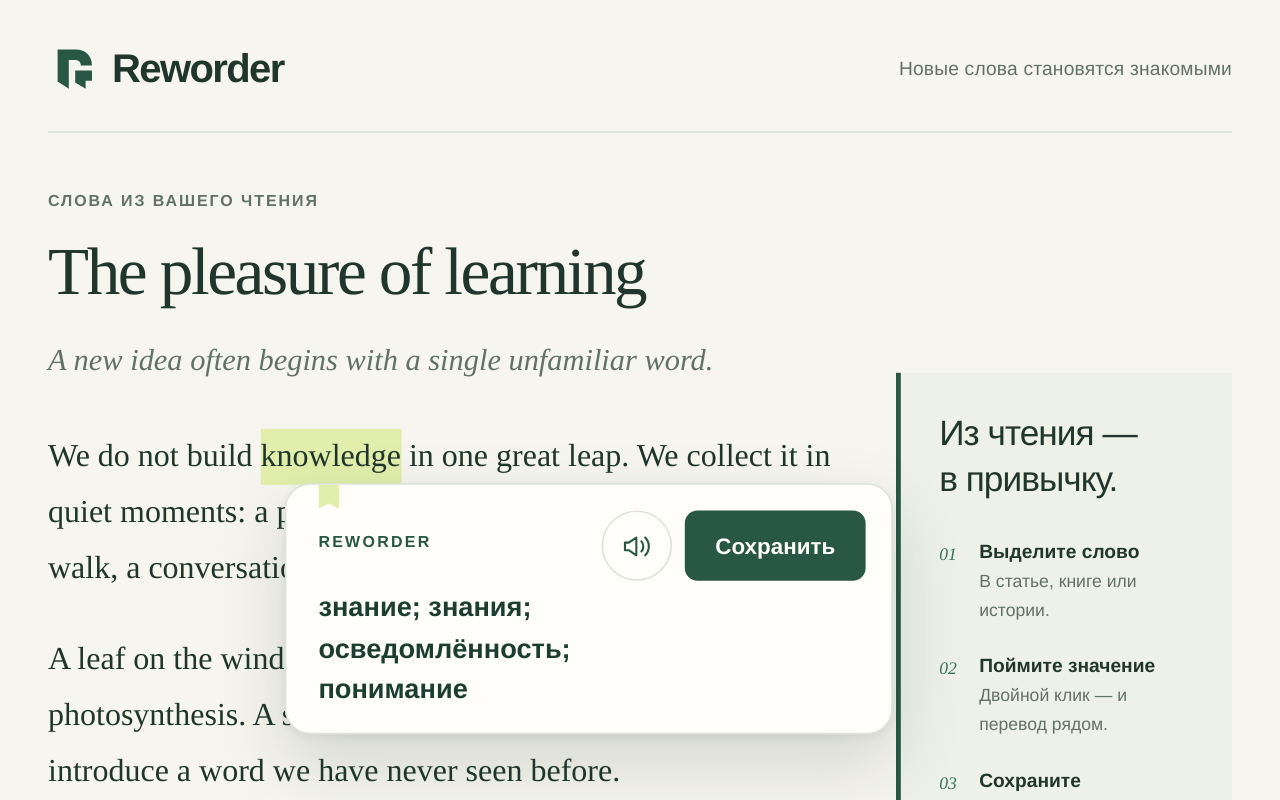
The word's meaning, pronunciation, and save button are together in a small window beside the sentence.

  • The built-in dictionary has 58,000 entries. Their translations are available offline.
  • The sentence is saved along with the word, making it easier to remember what you were reading.
  • You can enable highlighting of unfamiliar words in the extension settings.
Reworder window with a translation and a save button next to English text
You can see the translation, listen to the word, and save it to your vocabulary.
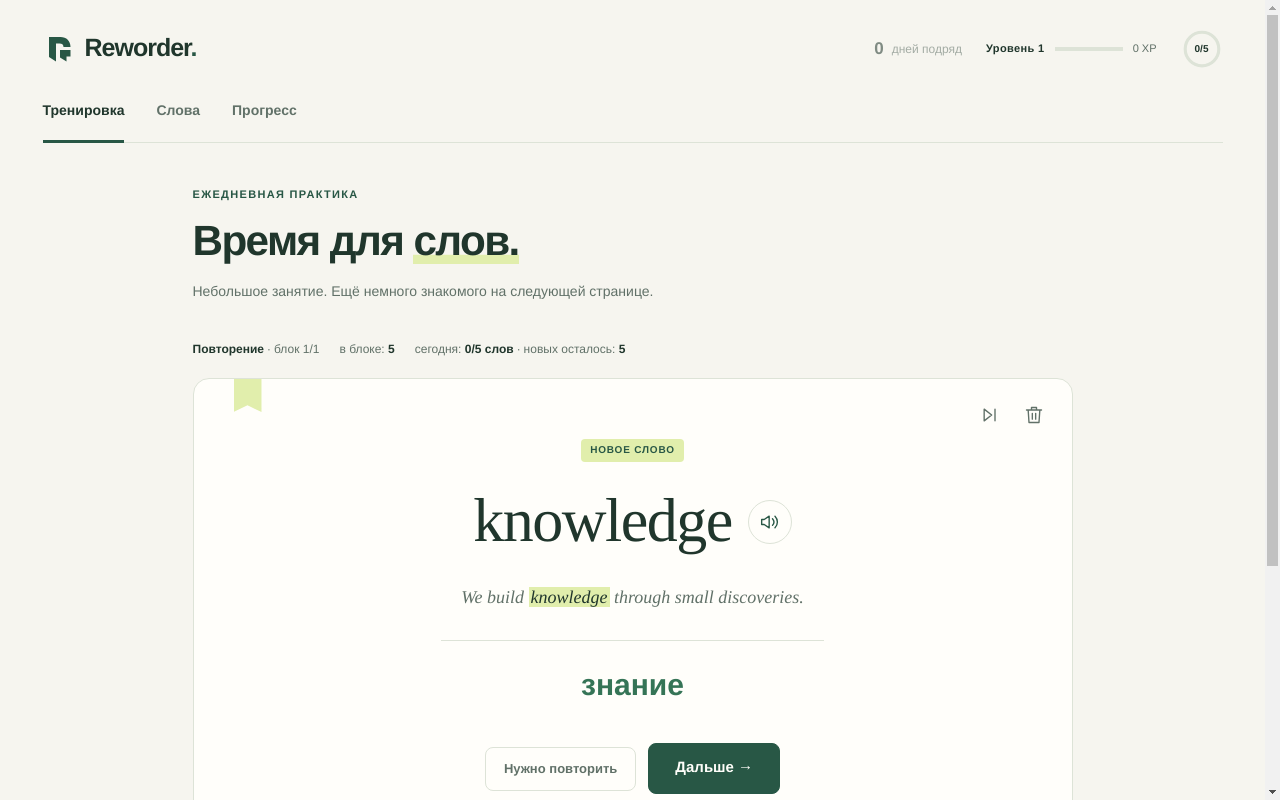
English word flashcard in Reworder practice
Practice uses words you've chosen to learn.

After reading

A few minutes
for review.

Open practice when you have time. Your saved words will appear there: try to recall the translation and mark how easy it was. You can also review these words within the English course.

This example has five words. No sign-in needed.

The dictionary translates from English into Russian. You can change the interface language.

Another example

Try reading
this passage.

If a word is unfamiliar, click it. You can see its translation and hear its pronunciation right here, without installing the extension.

Install in Chrome

Translations are available without an account. Sign in to save and review words.

Frequently asked questions

What do I need to get started?

The extension is all you need for translations. Vocabulary, reviews, and the course are available after you sign in.

Do I need to sign up first?

No. Install the extension and translate words without an account. Sign in to save words to your personal dictionary and review them on the website. Create an account at any time.

What works offline?

Translations from a built-in dictionary with 58,000 entries. An internet connection is needed to look up other translations, load audio, and sync your vocabulary.

Where can I use Reworder?

The extension works with text on web pages in Chrome on a computer: articles, documentation, and books opened in the browser. Images, scans, and internal browser pages are not supported. You can also review words and take the course on your phone on the Reworder website.

Can others see my vocabulary?

Your saved words, sentences, links and review history belong to your account. Ready-made translations and audio recordings are shared across users. The context and page address are sent when you save a word; full pages are not sent. Learn more in privacy policy.

How does the audio work?

Pronunciation is synthesized. Existing recordings are reused; you need to sign in to generate audio for new words in the extension. You can listen to existing recordings in the examples on this page without signing up.

Installing in Chrome

Try Reworder
in the text you're reading.

Install the extension and open a page in English.
Double-click any word to see its translation.

Install in Chrome For Chrome on desktop
Translations without an account

Your dictionary and course in one account

Sign in to save and review words. You can also start the A2 → B1 course here: short tasks, conversation practice, and reviews of words from your vocabulary.

Token sign-in